-
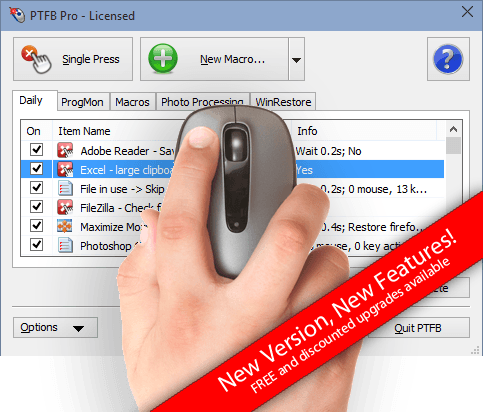
Keep Workflow Running Smoothly with PTFB Pro
- Eliminate Windows irritations
- Increase productivity
- Automate processes
- Work around software limitations
- Monitor your applications 24/7
- Respond to events with mouse auto clicks and macros
Try it FREE for 30 days and see how much time, money and frustration it can save you!
-

A Sophisticated Mouse Auto Clicker
PTFB Pro has some handy features not typically found in an auto-clicker (as well as all the features you might expect!)
-

A Powerful Macro Recorder
A simple, intuitive interface and a whole host of features that power users will love.
-

Monitor, Alert, Resolve, Log
PTFB Pro sits quietly in your system tray monitoring your applications and workflow. When it identifies a situation where it can help it instantly takes action - optionally alerting you and logging the incident.
More than just a macro recorder and auto clicker
PTFB Pro will do everything that a Macro Recorder or Auto Clicker can and much more. It offers an elegant, easy to use solution to many of the irritations and interruptions that plague Windows users. It sits quietly in the system tray until a task comes up that it can help you with. It then springs to life taking care of repetitive tasks, eliminating workflow interruptions, restoring program preferences, and responding to prompts and popups so that you don't have to. You don't even need to tell PTFB Pro to act - once configured it's capable of monitoring your operating system and programs and identifying situations where you want it to take action and work on your behalf.
- Automate Repetitive Tasks.
- Automatically respond to prompts and info requests.
- Keep vital programs running 24/7.
- Automatically restart programs that hang or are not responding.
- Prevent programs from running at specified times.
- Restore preferences every time a program runs.
- Restore a window's state every time it opens.
- Automated software testing.
- Software automation.
- Restart programs if they're hogging too much processing power.
- Packed full of features for professional environments.
- Small footprint.
- Quick & easy to use.
Are you fed up of your computer repeatedly prompting for the same information, or asking "are you sure?" instead of just getting on with what you told it to do?
Have you ever left your computer to crunch through a batch of work overnight only to find that a vital program has crashed or hung?
How much time do you spend performing the same tasks over and over again?
Wouldn't life be easier if you had an assistant to keep everything running smoothly - whether you're at your computer or not?
Perfect for Unattended Operation
PTFB Pro has a number of features that make it well suited to keeping things running smoothly even when you are away from your computer:
-
Logging and Alerting

Lightweight, Efficient, Tailored Solution
All activities can be logged to text file, along with screen shots. When an item fires, an email can optionally be sent to one or more recipients.
-
Works with locked desktops

Maintains security
Can dismiss screen saver and unlock and relock desktop as needed to run macros and auto click.
-
Built in Scheduler

Or integrate with extermal task scheduler
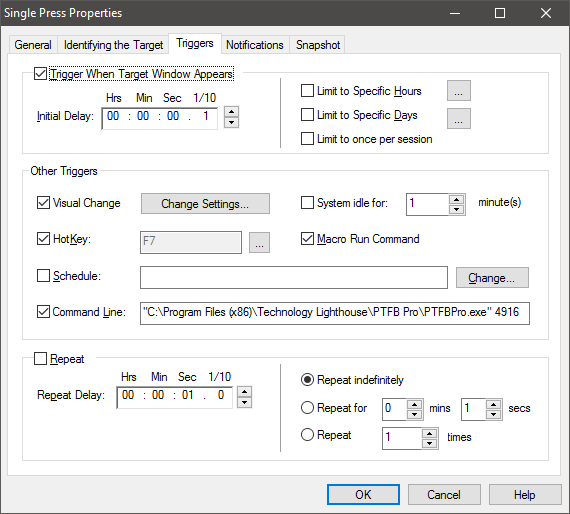
PTFB Pro can run tasks according to a predefined schedule or have external software trigger them by command line.
Try it FREE for 30 Days
Small Footprint - Quick and Easy Install - Clean Uninstall
If you decide to buy our software you can simply purchase a license and use it to upgrade your trial installation to a fully licensed solution.
Just download and go!
It Couldn't Be Easier!
Put PTFB Pro to work with a couple of button clicks.
As a tool initially developed to eliminate irritations and interruptions, ease of use has always been of prime importance for PTFB Pro. It's designed to fit in with the way you work, be discrete, very quick and accessible. There is no steep learning curve, no complicated scripting and with very many day-to-day irritations a couple of button clicks is all it takes to never be bothered by that particular thing again.
"This tool has sped up my production by 500%, no kidding."
Convextech
How to automatically respond to a prompt that irritates you or holds up your workflow
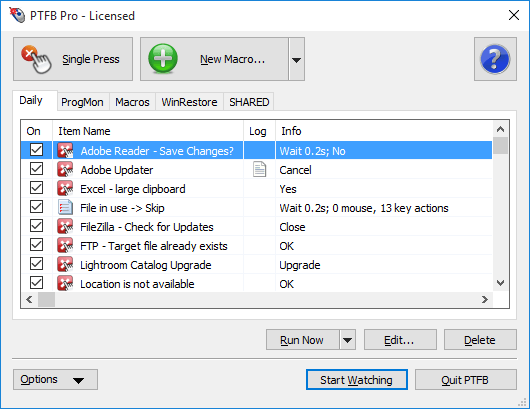
Open up PTFB Pro's main window by clicking on its tray icon.
Click on Single Press. The cursor will now change to a hand with an outstretched finger.
- Move the cursor over the button, link or other item you want to be pressed, and click the mouse.
- Put PTFB Pro back to work by hitting "Start Watching".
That's all there is to it!
You'll never have to respond to that prompt, information or confirmation screen again. PTFB Pro has sophisticated mechanisms for ensuring that it only clicks on the buttons you want it to.
PTFB Pro's other capabilities are equally simple to set up, for example.
- How to automate Repetitive Tasks
- How to automatically restart a program when it becomes unresponsive
- How to automatically resize/reposition a window
"It's hard to describe how phenomenally useful PTFB Pro is"
TheGoodDoctor, Snapfiles.com
"I'm glad you're helping the rest of us out with these nuisances that Microsoft
feels obligated to supply us with."
C. W. Bruce, Corporate Information Technology Manager
Screenshots
-
Organize your macros into tabs.
-
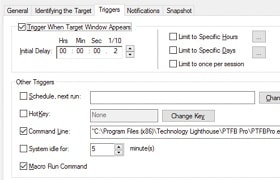
Many ways to run your macros.
-
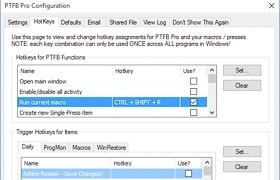
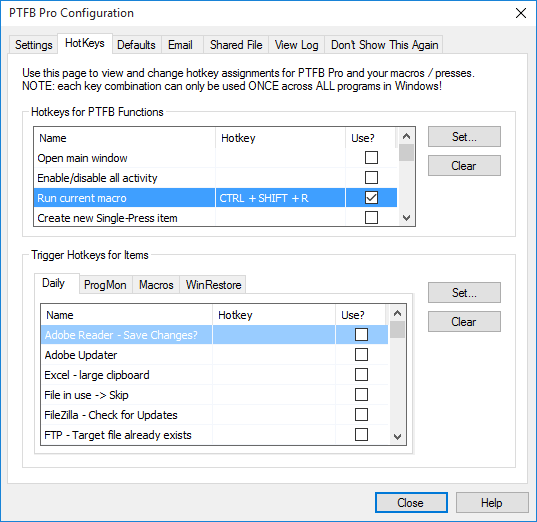
Optionally control main functions via hotkey.
-
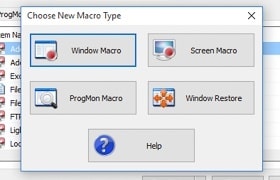
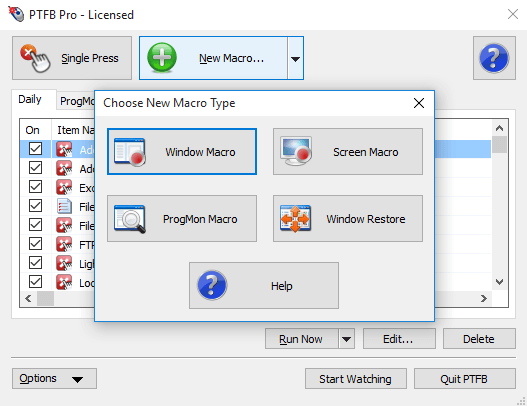
Choose from clicks, macros, process control and window restore items.
-
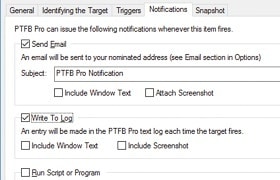
Optionally send email, log actions to file, run cmd line.
-
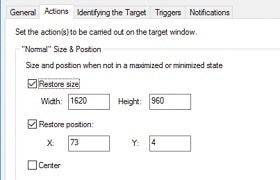
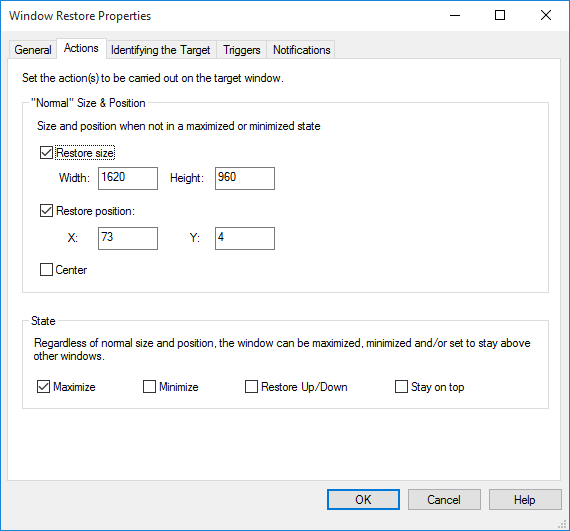
Resize and reposition windows automatically.
-
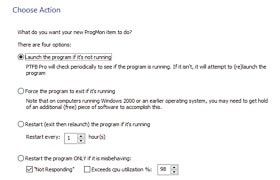
Launch, close or restart programs automatically.
-
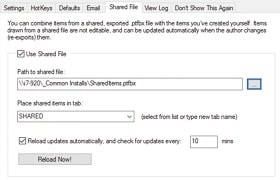
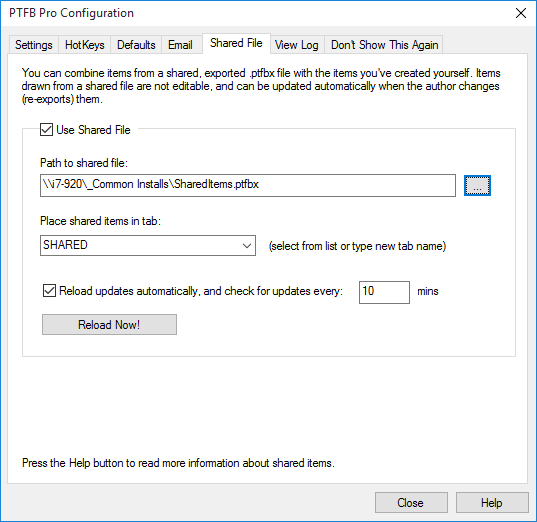
Share common items among multiple workstations.